With OnTime you remove scheduling barriers, foster collaboration among team members, no matter where they are. OnTime is all about ensuring that every moment contributes to collective success for your team, anytime, anywhere.
With OnTime you remove scheduling barriers, foster collaboration among team members, no matter where they are. OnTime is all about ensuring that every moment contributes to collective success for your team, anytime, anywhere.
We are passionate about your time. OnTime features like Pollarity and Share My Time enhance schedules, prioritize passions, and streamline teamwork, helping you make the most of every moment.
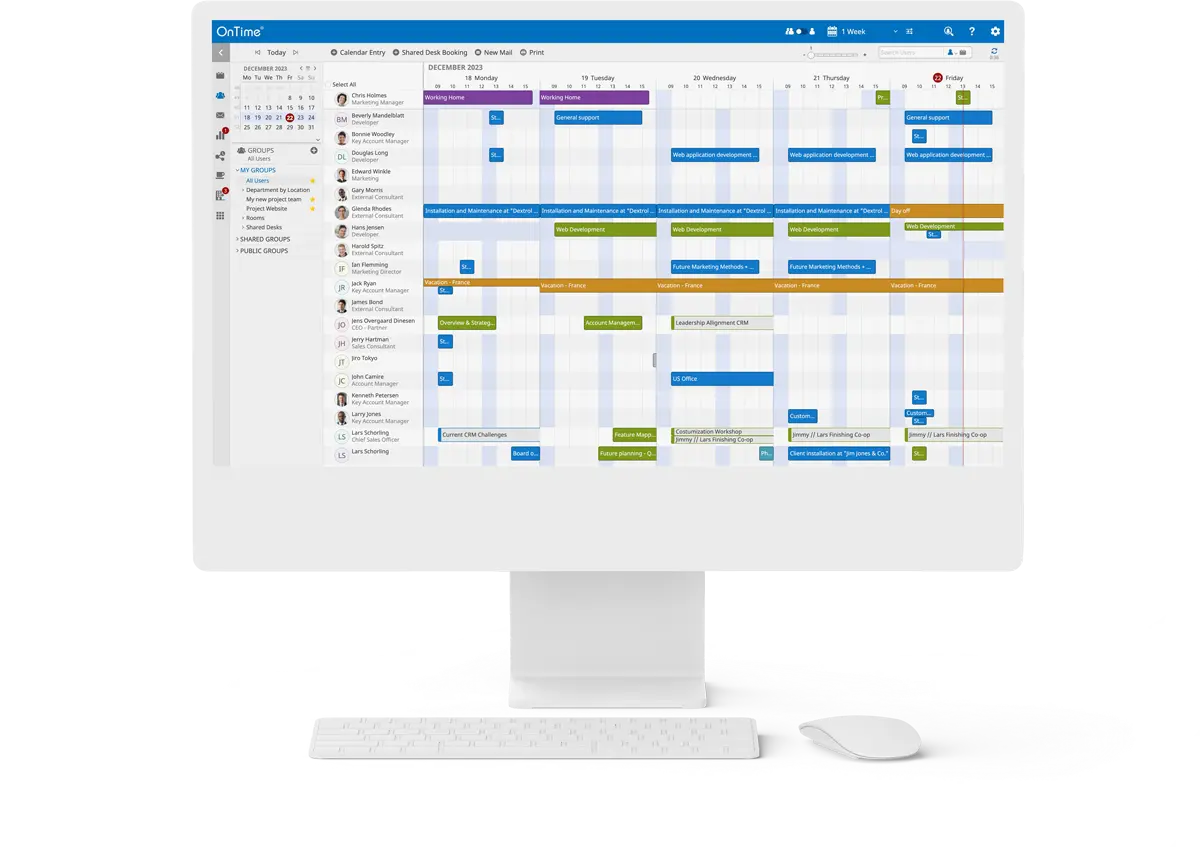
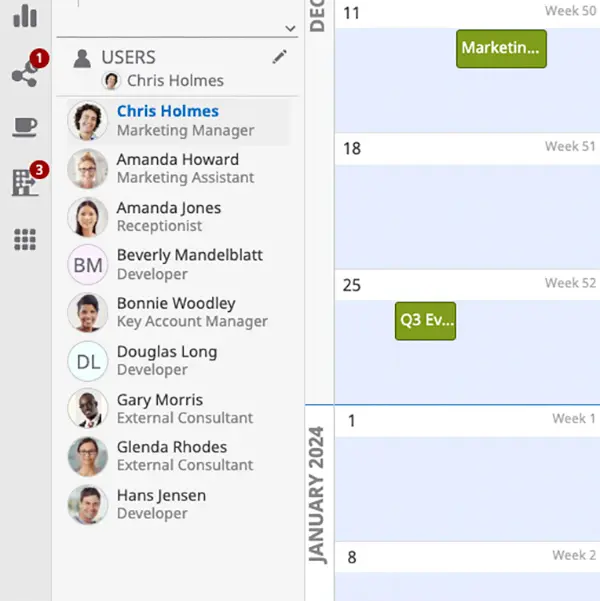
OnTime Group Calendar transforms individual agendas into a synchronised force, aligning thousands of calendars into one harmonious vision.
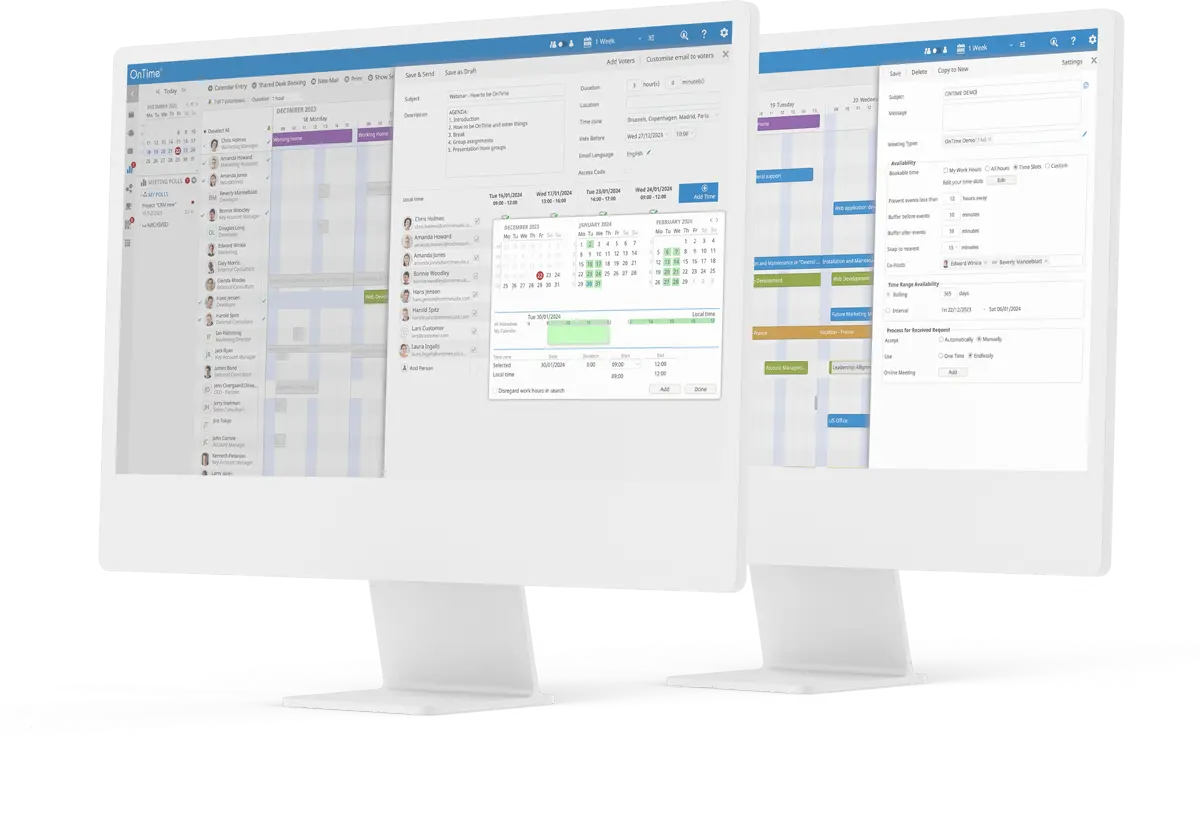
Its multitude of features such as integrated online meetings, legend filters, find time, and vacation planning, make planning both internal and external meetings easier than ever. OnTime Group Calendar is accessible wherever your work takes you, available in your browser and your collaboration platform, or on your smartphone.
Collaboration and diversity are key drivers in achieving successful business outcomes, and that’s precisely what OnTime facilitates.
Benefits
Versatility in your workspace
Access your Group calendar calendar, schedule meetings, and coordinate with your team from any location.
Efficient Scheduling
A group calendar make it easy to coordinate meetings, avoid double-booking, and plan group activities.
Transparency and Accountability
Provides visibility into everyone’s schedules, promote accountability, and reduce confusion about responsibilities.
Time Management
Helps to optimise time, offer reminders, and centralise scheduling information, leading to better productivity.
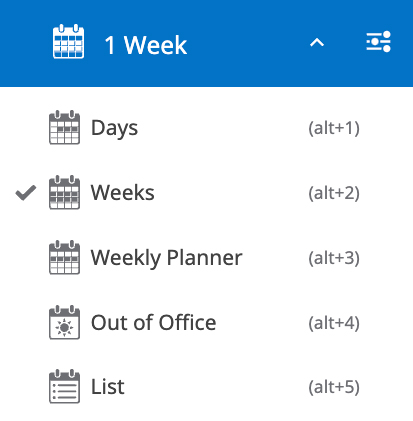
Tailor your calendar view to suit your needs. Whether you prefer a daily, weekly, or monthly overview, OnTime Suite provides flexible viewing options to help you stay organised and on top of your schedule.
Efficient Out of Office Management
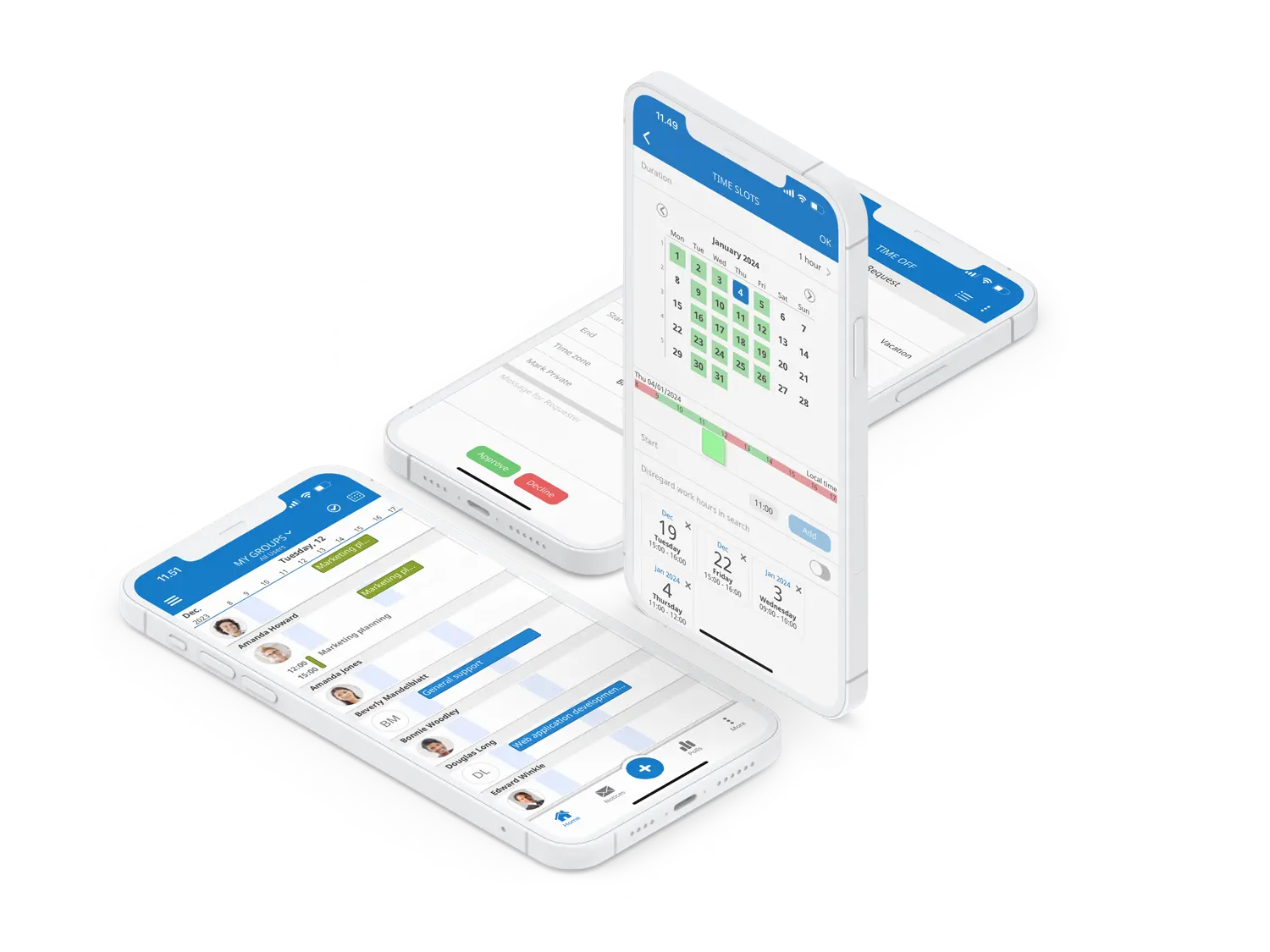
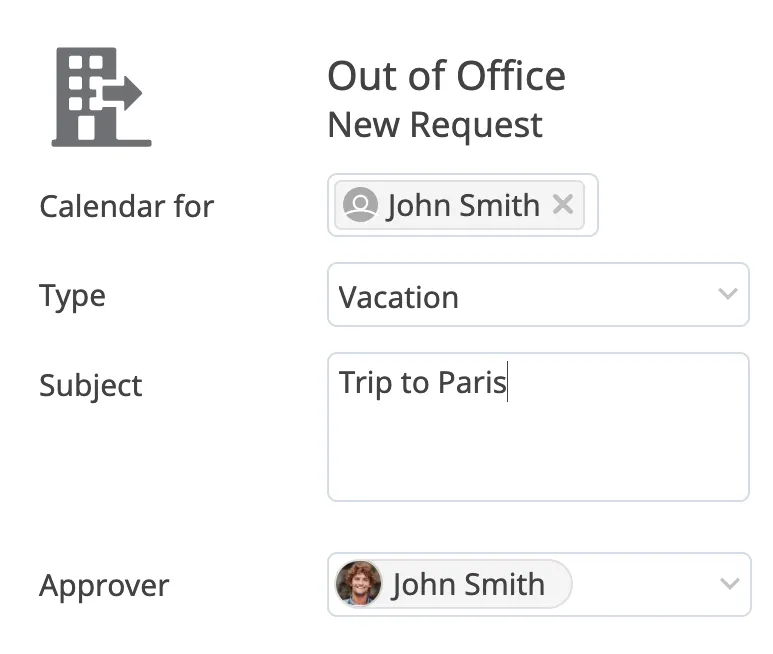
The vacation planning feature offers a time-off view, providing an easy overview of when colleagues are away. together with a simple approval workflow, this assists in optimising resource utilisation and planning on various ooo types of leaves like vacation and maternity leave
Delegate Scheduling Capabilities
Empower designated team members to schedule meetings on behalf of others. This feature is ideal for executives and managers, streamlining the process of organising meetings and managing calendars for multiple team members.
Seamless Microsoft Teams Integration
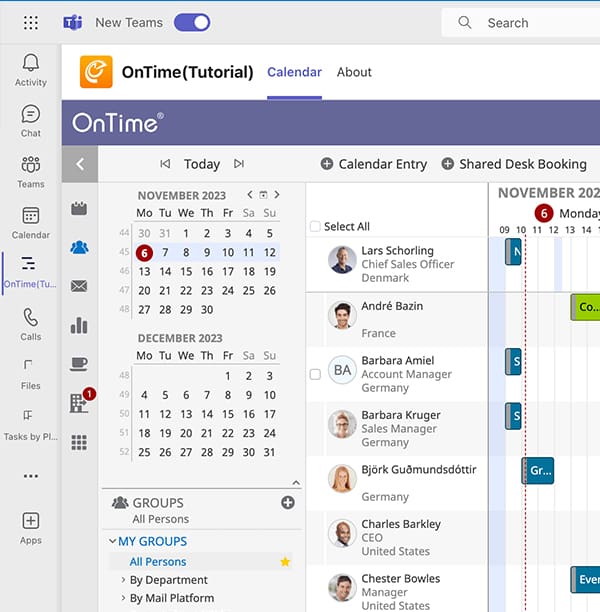
This feature integrates the full Group Calendar with Microsoft Teams, facilitating meeting scheduling and finding team members with specific qualifications.
It brings all group calendar features into the MS Teams environment, along with some special MS Teams-specific features, enhancing team collaboration and efficiency
Access Anywhere, Anytime
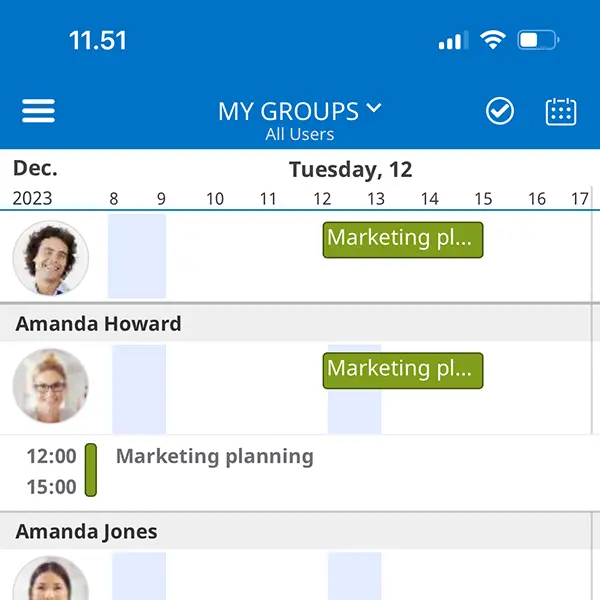
Stay connected and manage your schedule on the go with OnTime Suite’s mobile compatibility. Whether you’re away from your desk or out of the office, you have full access to your calendar and scheduling tools.
FAQ
Do you have question? Find the answer here
How does OnTime integrate with existing calendar and email systems?
Microsoft Integration: OnTime integrates with Microsoft’s suite of products, including Office 365 and Exchange on-premises. This integration allows users to view and manage their Microsoft Outlook calendars alongside their colleagues. It also integrates with Microsoft Teams, enabling users to see their team members’ availability and schedule meetings directly within the Teams platform.
HCL (IBM) Integration: For organisations using HCL collaboration tools, OnTime Group Calendar integrates with HCL Notes and Verse mail clients and is from version 14 of the Domino server platform build-in offering a special Freemium edition. This integration ensures that users can seamlessly manage their schedules and coordinate with colleagues who are using the HCL platform.
Cross-Platform Support: For organisations that use a combination of Microsoft and HCL products, OnTime supports a hybrid environment, allowing seamless integration across different platforms.
What kind of support and training resources does OnTime offer?
OnTime offers a range of support and training resources to assist users in effectively utilising their group calendar system. These resources are designed to provide both technical support and user education, ensuring that organisations can maximise the benefits of the OnTime Group Calendar. Here’s an overview of the support and training resources available:
Tutorial Videos: OnTime offers concise, step-by-step tutorial videos, simplifying learning for users by visually demonstrating the system’s features and functionalities.
Documentation: Comprehensive user manuals, installation guides, and best practices are available, catering to both end-users and IT professionals for effective system management.
Technical FAQs: A dedicated FAQ section provides quick answers to common questions, aiding in immediate problem-solving and user support.
Release Notes: Release notes detail new features, enhancements, and bug fixes in each software update, keeping users informed about the latest changes.
Support Tickets: Users can submit support tickets for personalized assistance with specific issues or challenges encountered while using OnTime.
Downloads: Access to the latest software versions, updates, and patches ensures users have the most current and secure OnTime experience.
Can OnTime be customized to fit our company's specific needs?
User Interface Customization: Adjust the calendar’s appearance to align with your company’s branding and user preferences.
Feature Selection: Enable or disable specific features like room booking or shared desks to suit organizational needs.
Integration Capabilities: Seamlessly integrate with Microsoft Office 365, Exchange, and HCL Domino for streamlined workflows.
Access Control and Permissions: Set user access levels and permissions in line with company hierarchy and privacy policies.
Add-Ons and Extensions: Enhance functionality with add-ons like voting, catering management, and visitor tracking.
Scalability: Scale the system to fit the size of your organization, from small businesses to large enterprises.
Localization: Supports multiple languages, catering to international companies or diverse workforces.
What is the pricing structure of OnTime Suite? Are there different tiers or packages?
OnTime Suite’s pricing is scalable, depending on organisation size and chosen calendar features, with specific tiers for small, mid-size, and large businesses.
We offer OnTime both on a perpetual and subscription basis. Calculate your own price on our Pricing page.
Our costumers Journey/Story
OnTime Group Calendar helps our users to work more efficiently on an everyday basis. From an IT operations perspective it is so resilient that we can almost forget about it in the daily operations.
Jörg Rafflenbeul
Heitkamp & Thumann Group
The top priority for us was vacation planning. OnTime allows our users to easily gain an overview, coordinate employees’ vacation time and easily incorporate changes making the entire process much more resilient.
Sascha Troll
Geberit Group
OnTime has consistently proven to be a trustworthy and reliable solution for SES over the years. Remaining closely aligned with the product strategies of the email vendors, ensuring that enhancements are seamlessly integrated into generic and out-of-the-box features
Marc Leblanc
SES Astra S.A.
Prices Simplified
Here are some price examples on how much it costs using OnTime. Click on the “Find My Price” below to see what your price is. Both subscription and perpetual options are available.
By signing up for this event, you agree to be added to our newsletter mailing list. We will use your email address to send you updates, news, and offers. You can unsubscribe anytime via the link in any email.
For more information on how we process and safeguard your data, please read our Privacy Policy.
Event Signup
Location:
Date:
Time:
By signing up for this event, you agree to be added to our newsletter mailing list. We will use your email address to send you updates, news, and offers. You can unsubscribe anytime via the link in any email.
For more information on how we process and safeguard your data, please read our Privacy Policy.